
What is a line item?
Line items are additional charges beyond the product price. They include:
- Shipping
- Taxes
- Checkout fees
- and more
How do I remove a line item?
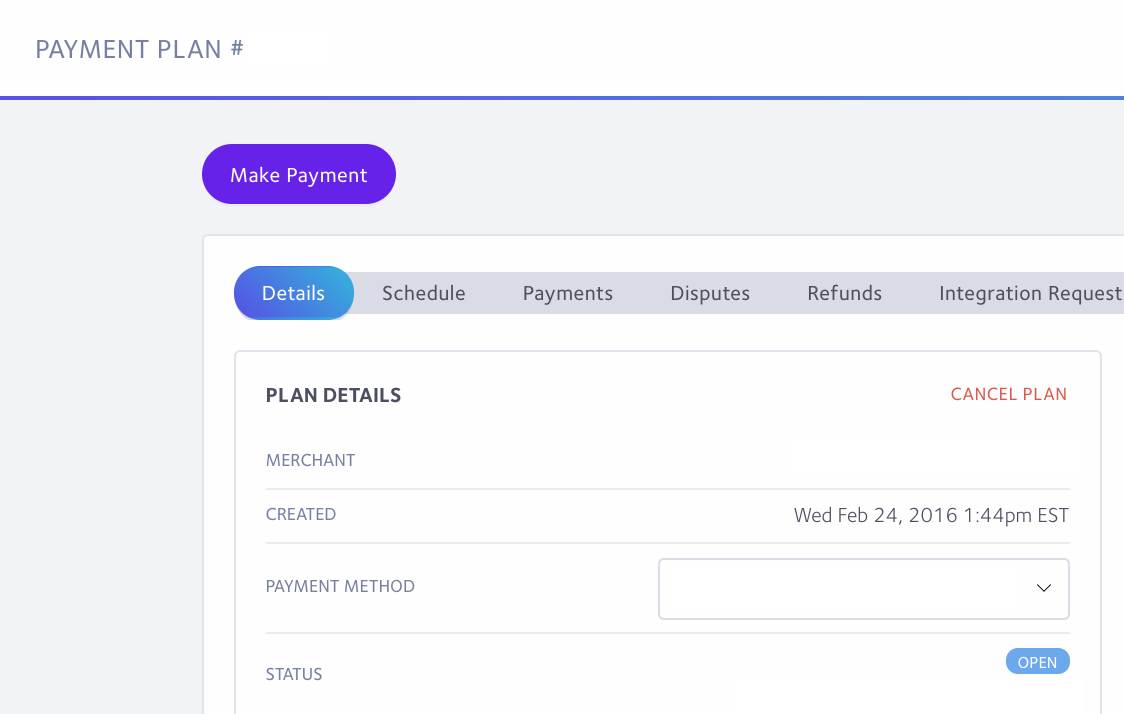
If you wish to remove a line item from the plan after it is opened, you will first need to cancel the plan by clicking the red Cancel Plan link. (Defaulted plans can skip this step).
*If you are a Shopify Merchant, do not cancel the Shopify order.
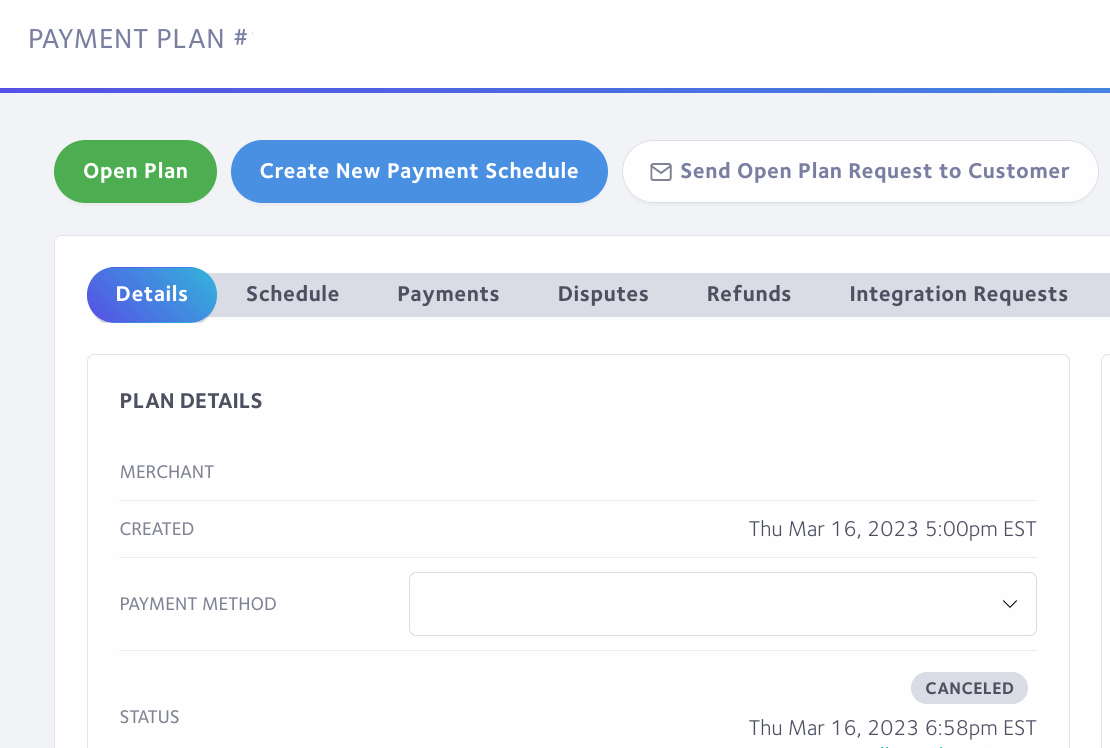
Once canceled, click the 'create new payment schedule' button that will appear.
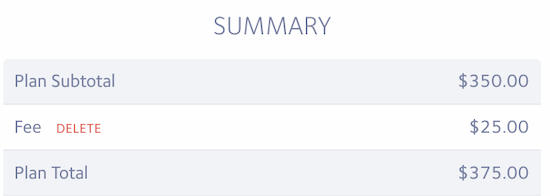
The line item will appear in the summary of the plan on the right. Click the red delete link to remove it.
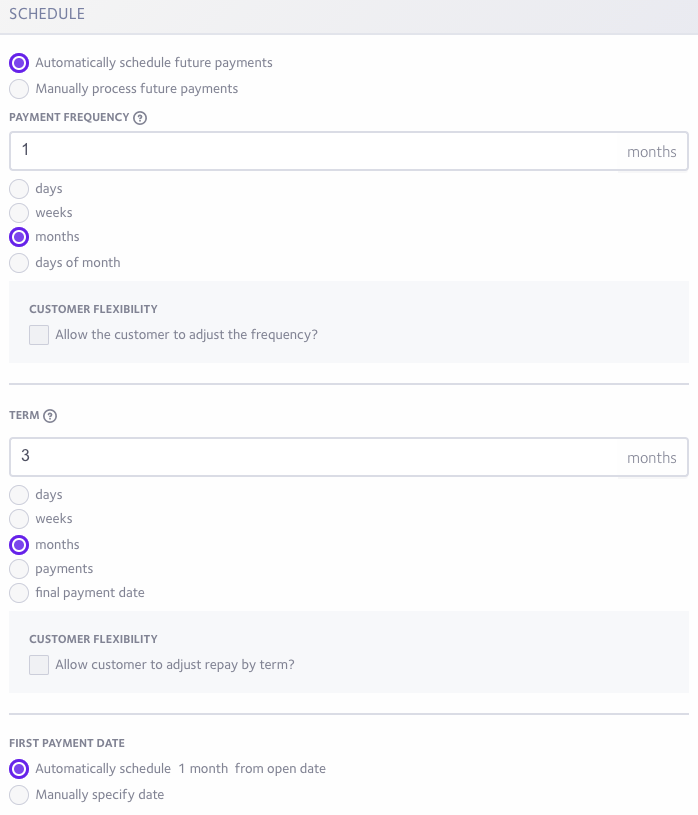
Once done, you will need to set up the customer's payment schedule (frequency, term). You can reference their contract PDF to see their prior schedule.
If needed, the first payment date can manually be adjusted to the next date on the contract by selecting Manual Specify Date at the bottom of the page.
Click the Create Payment Schedule button.
The following page will generate the new contract for you to sign on the customer’s behalf. Select the payment method and click the Open Payment Plan button.
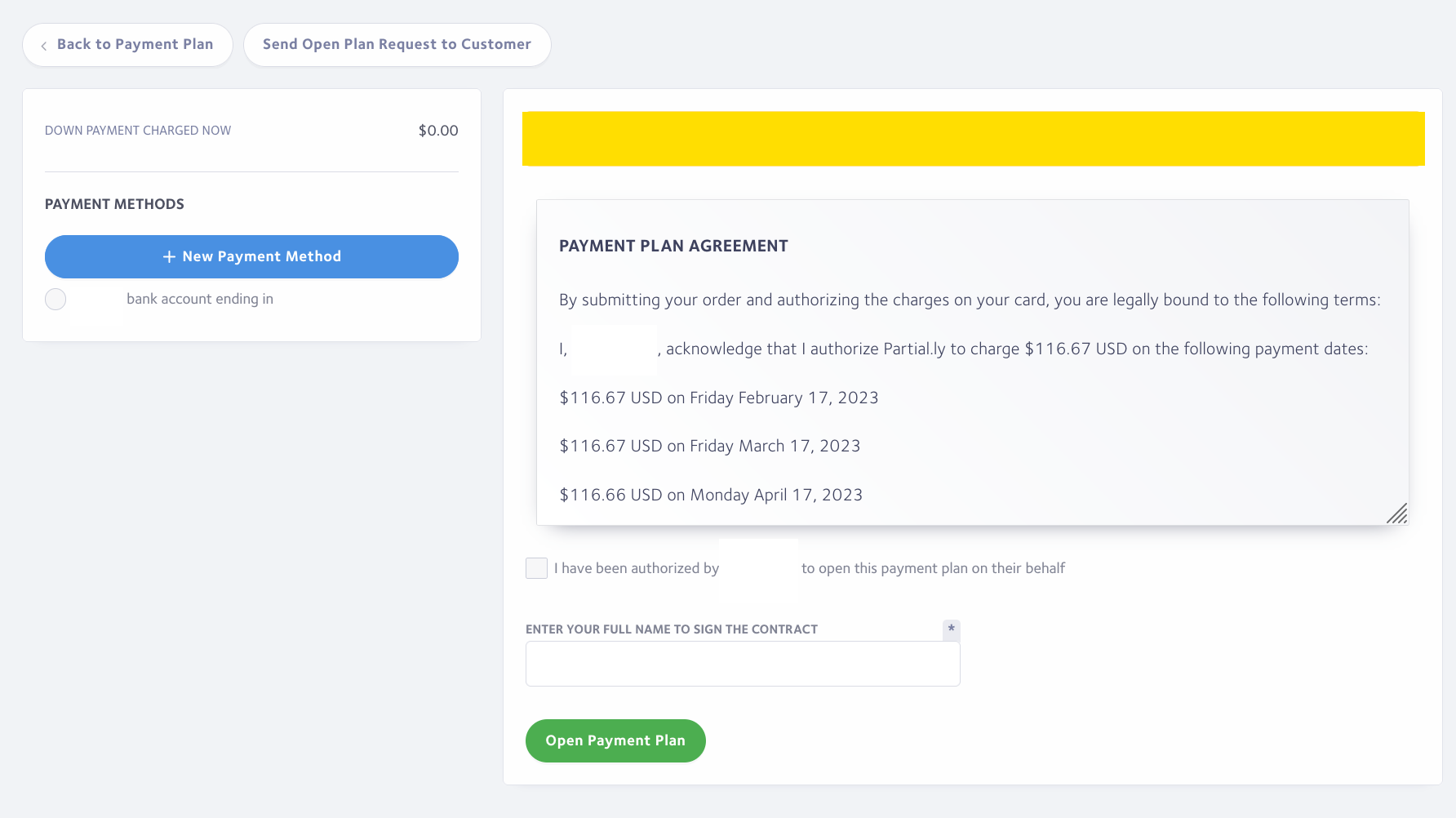
*If the plan does not open due to a declined card, the customer's bank may require the customer to authorize the reopening of the plan. You will need to click the 'send open plan request' button. This will email the plan to the customer so they can reopen it on their own and authorize use of their card.
What if I want to add a line item?
Info on that can be found here: https://support.partial.ly/how-to-add-deduct-from-plan/
Have more questions?
Please email us at support@partial.ly